15. Set Up Personal Access Tokens in Github

15.1. Generating Personal Access Tokens in Github: Explanation
Tip
Follow these steps:
Log in to your Github account
In the Top-Right corner of your Github account click Settings
In the next screen, scroll all the way down and click <> Developer settings
Click Personal access tokens
Choose Tokens (classic)
Click Generate new token - Your token should start with ghp_.
Give your Token Read/Write access: see Permissions For Your Token
Copy and paste token in GITPASSWORD docker run command: TSS Docker Run Command
15.1.1. Permissions For Your Token
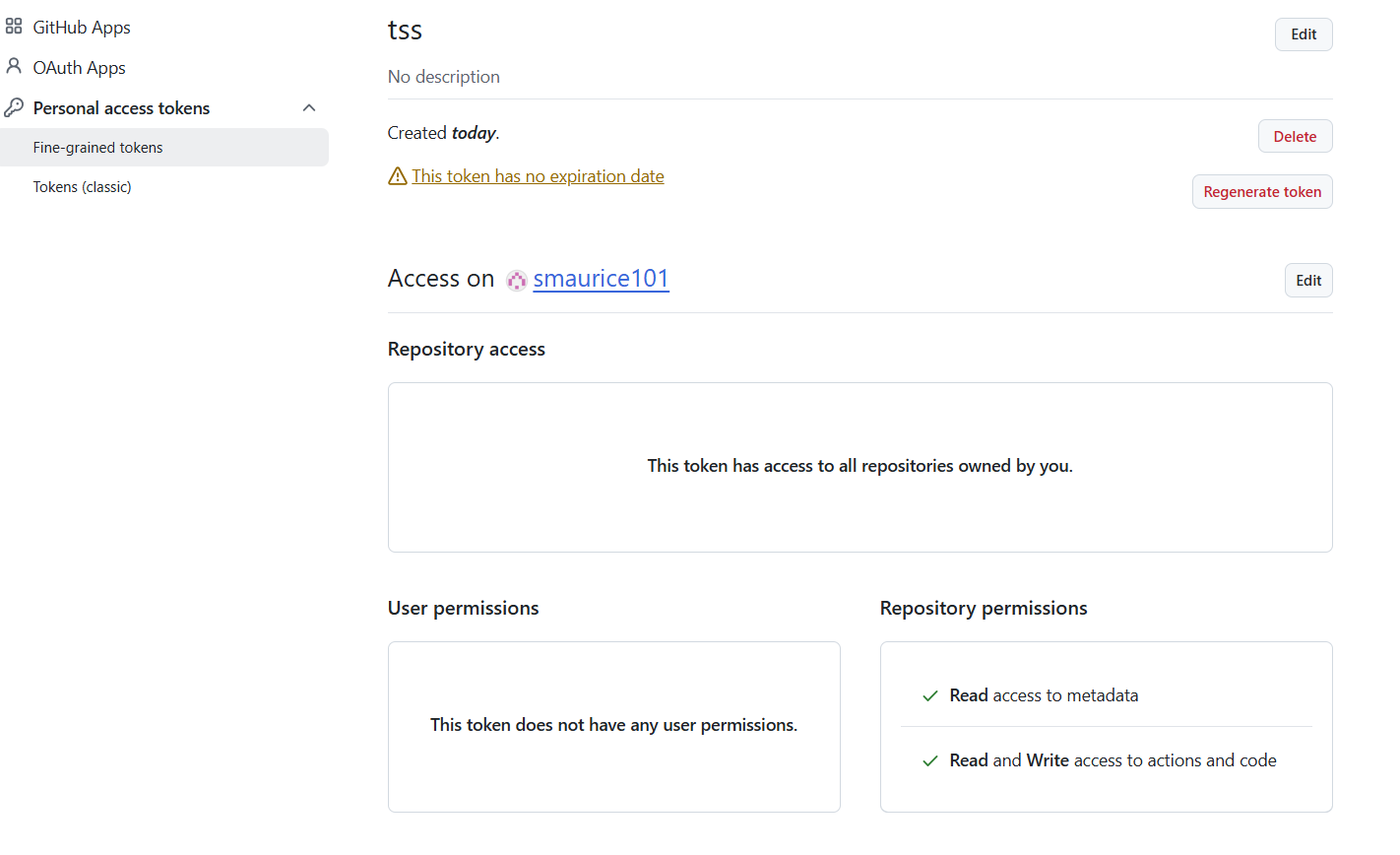
Your token permissions should look like this below:

15.1.2. Fine-Grained Tokens
Use fine grained tokens for stricter access. Make sure to give Actions and Content Read/Write access to ALL Repos.